Category Archives: SQL Server

Accelerating Database Modernization Through DevOps & Cloud Integration

In today’s enterprise landscape, agility and reliability go hand-in-hand. As organizations modernize legacy infrastructure and scale operations across borders, the challenge is no longer just about moving fast – it’s about moving smart. That’s where the combination of Redgate’s powerful database DevOps tools and Microsoft Azure’s cloud-native ecosystem shines brightest.

At the intersection of robust tooling and scalable infrastructure, building a framework that supports high-volume conversions, minimizes risk, and empowers continuous delivery across database environments; the addition of Redgate’s Flyway has strengthened the ability to manage schema changes through versioned, migration-centric workflows.

Let’s unpack what this looks like behind the scenes.

Core Architecture: Tools That Talk to Each Other

  • Flyway Enterprise and Redgate Test Data Manager: Flyway Enterprise supports build and release orchestration, lightweight schema versioning and traceability, while giving rollback confidence, and  Test Data Manager supports privacy compliance..
  • Azure SQL + Azure DevOps: Targeting cloud-managed SQL environments while using Azure DevOps for CI/CD pipeline orchestration and role-based access controls.
  • Azure Key Vault: Centralized secrets management, allowing secure credential handling across stages.

The architecture aligns development and ops teams under a unified release process while keeping visibility and auditability at every stage.

Versioned Migrations with Flyway

Flyway introduces a migration-first mindset, treating schema changes as a controlled, versioned history. It’s especially valuable during conversions, where precision and rollback capability are paramount.

A typical Flyway migration script looks like this:

— V3__add_conversion_log_table.sql CREATE TABLE conversion log ( id INT IDENTITY(1,1) PRIMARY KEY, batch_id VARCHAR(50), status VARCHAR(20), created_on DATETIME DEFAULT GETDATE() );

This is tracked by Flyway’s metadata table (flyway_schema_history), allowing us to confirm applied migrations, detect drift, and apply changes across environments consistently.

CI/CD Pipelines: From Code to Cloud

With the use Azure DevOps to orchestrate full database build and deployment cycles. Each commit triggers Flyway Enterprise and Redgate Test Data Manager stages that:

  • Confirm schema changes.
  • Package migration scripts.
  • Mask sensitive data before test deployment.
  • Deploy to staging or production environments based on approved gates.

steps: – task: Flyway@2 inputs: flywayCommand: ‘migrate’ workingDirectory: ‘$(Build.SourcesDirectory)/sql’ flywayConfigurationFile: ‘flyway.conf’

This integration allows engineers to treat their database as code – reliable, scalable, and versioned – without losing the nuance that data systems demand.

Compliance, Transparency & Trust

Redgate tools also ensure that conversion efforts meet enterprise-grade audit and compliance standards:

  • Drift Detection & Undo Scripts via Flyway Enterprise for rollback precision.
  • Immutable Audit Trails captured during each migration and deployment step.
  • Masked Test Data with Redgate Data Masker ensures sensitive info is protected during QA stages.

Performance Gains & Operational Impact

Implementing this strategy, I’ve seen:

  • Deployment velocity increase 3x.
  • Conversion accuracy improves with automated validation steps.
  • Team alignment improves with shared pipelines, version history, and documentation.

Most importantly, database deployment is no longer a bottleneck – it’s a competitive advantage.

Getting Back to the Basics

While the tools are powerful, the continued focus stays on strengthening foundational discipline:

  • Improve documentation of schema logic and business rules.
  • Standardize naming conventions and change control processes.
  • Foster cultural alignment across Dev, Ops, Data, and Architecture teams.

Database DevOps is both practice and a mindset. The tools unlock automation, but the people and processes bring it to life.

Final Takeaway

Redgate + Azure, now powered by Flyway, isn’t just a tech stack; it’s a strategic framework for high-impact delivery. It lets you treat database changes with the same agility and discipline as application code, empowering teams to work faster, safer, and more collaboratively.

For global organizations managing complex conversions, this approach provides the blueprint: automate fearlessly, confirm meticulously, and scale intelligently.

Why Microsoft Fabric Signals the Next Wave of Data Strategy

In today’s data-driven economy, organizations are no longer asking if they should invest in data, they are asking how fast they can turn data into decisions. The answer, increasingly, points to Microsoft Fabric.

Fabric is not just another analytics tool – it is a strategic inflection point. It reimagines how data is ingested, processed, governed, and activated across the enterprise. For CIOs, data leaders, and architects, Fabric represents a unified, AI-powered platform that simplifies complexity and unlocks agility.

Strategic Vision: From Fragmentation to Fabric

For years, enterprises have wrestled with fragmented data estates – multiple tools, siloed systems, and brittle integrations. Microsoft Fabric flips that model on its head by offering:

  • A unified SaaS experience that consolidates Power BI, Azure Synapse, Data Factory, and more into one seamless platform.
  • OneLake, a single, tenant-wide data lake that eliminates duplication and simplifies governance.
  • Copilot-powered intelligence, enabling users to build pipelines, write SQL, and generate reports using natural language.

This convergence is not just technical – it is cultural. Fabric enables organizations to build a data culture where insights flow freely, collaboration is frictionless, and innovation is democratized.

Technical Foundations: What Makes Fabric Different?

Microsoft Fabric is built on a robust architecture that supports every stage of the data lifecycle:

Unified Workloads

Fabric offers specialized experiences for:

ExperiencePurpose
Data EngineeringSpark-based processing and orchestration
Data FactoryLow-code data ingestion and transformation
Data ScienceML model development and deployment
Real-Time IntelligenceStreaming analytics and event processing
Data WarehouseScalable SQL-based analytics
Power BIVisualization and business intelligence

Each workload is natively integrated with OneLake, ensuring consistent access, governance, and performance.

Open & Flexible Architecture

Fabric supports open formats like Delta Lake and Parquet, and allows shortcuts to external data sources (e.g., Amazon S3, Google Cloud) without duplication. This means:

Seamless multi-cloud integration, reduced storage costs, and faster time-to-insight

Real-Time & Predictive Analytics

With Synapse Real-Time Analytics and Copilot, Fabric enables both reactive and proactive decision-making. You can monitor live data streams, trigger automated actions, and build predictive models – all within the same environment.

Business Impact: Efficiency, Governance, and Scale

Fabric is not just a technical upgrade – it is a business enabler. Consider these outcomes:

Lumen saved over 10,000 manual hours by centralizing data workflows in Fabric, enabling real-time collaboration across teams.

Organizations using Fabric report faster deployment cycles, improved data quality, and stronger compliance alignment through built-in Microsoft Purview governance tools.

Fabric’s serverless architecture and auto-scaling capabilities also ensure that performance scales with demand – without infrastructure headaches.

For most of my career, I have lived in the tension between data potential and operational reality. Countless dashboards, disconnected systems, and the constant refrain of “Why can’t we see this all-in-one place?” – these challenges were not just technical; they were strategic. They held back decisions, slowed down innovation, and clouded clarity.

When Microsoft Fabric was introduced, I will be honest: I was cautiously optimistic. Another tool? Another shift? But what I have found over the past few months has genuinely redefined how I think about data strategy – not just as a concept, but as an everyday capability.

Stitching It All Together

Fabric does not feel like another tool bolted onto an existing stack. It is more like a nervous system – a unified platform that brings Power BI, Azure Synapse, Data Factory, and real-time analytics into one seamless experience. The moment I began exploring OneLake, Microsoft’s single, tenant-wide data lake, I realized the gravity of what Fabric enables.

No more juggling data silos or manually reconciling reports across teams. The clarity of having one source of truth, built on open formats and intelligent orchestration, gave my team back time we did not know we were losing.

AI as an Accelerator, not a Distraction

I have also leaned into Copilot within Fabric, and the shift has been tangible. Tasks that once required hours of scripting or SQL wrangling are now powered by natural language – speeding up prototype pipelines, unlocking what-if analysis, and even supporting junior teammates with intuitive guidance.

Fabric AI features did not just boost productivity, they democratized it. Suddenly, it was not just the data engineers who had power; analysts, business leaders, and even non-tech users can participate meaningfully in the data conversation.

Whether you are navigating data mesh architectures, scaling AI initiatives, or tightening governance through tools like Microsoft Purview, Fabric lays the foundation to lead with data – efficiently, securely, and intelligently.

For me, this journey into Fabric has been about more than technology. It is a shift in mindset – from reacting to data, to owning it. And as I step more into writing and sharing what I have learned, I am excited to help others navigate this transformation too.

The Future of Data Strategy Starts Here

Microsoft Fabric signals a shift from tool-centric data management to a platformcentric data strategy. It empowers organizations to:

Break down silos and unify data operations. Embed AI into every layer of analytics. Govern data with confidence and clarity. Enable every user – from engineer to executive – to act on insights.

In short, Fabric is not just the next step, it is the next wave.

Why Data Silos Hurt Your Business Performance

Let’s be honest – data is the backbone of modern business success. It is the fuel that drives smart decisions, sharp strategies, and competitive edge. But there is a hidden problem quietly draining productivity: data silos.

What is the Big Deal with Data Silos?

Picture this – you have teams working hard, digging into reports, analyzing trends. But instead of sharing one centralized source of truth, each department has its own stash of data, tucked away in systems that do not talk to each other. Sound familiar? This disconnect kills efficiency, stifles collaboration, and makes decision-making way harder than it should be.

How Data Silos Wreck Productivity

Blurry Vision = Ineffective Decisions Leadership decisions based on incomplete data lead to assumptions rather than informed facts.

Wasted Time & Redundant Work
Imagine multiple teams unknowingly running the same analysis or recreating reports that already exist elsewhere. It is like solving a puzzle with missing pieces – frustrating and unnecessary.

Slower Processes = Missed Opportunities
When data is not easily accessible, workflows drag, response times lag, and the business loses agility. In fast-moving industries, those delays can mean lost revenue or stalled innovation.

Inconsistent Customer Data = Poor Experiences
When sales, marketing, business units, and support teams are not working off the same customer data, you get mixed messages, off-target campaigns, and frustrated customers.

Breaking Free from Data Silos

To break free from stagnation, proactive action is essential:

Integrate Systems – Invest in solutions that connect data across departments effortlessly.
Encourage Collaboration – Get teams talking, sharing insights, and working toward common goals.
Leverage Cloud-Based Platforms – Make real-time access to critical data a priority.
Standardize Data Practices – Guarantee accuracy and consistency with company-wide data policies.

Data silos are not obvious at first, but their impact is massive. Fixing them is not just about technology, it is about a smarter, more connected way of working. When businesses focus on integration and accessibility, they unlock real efficiency and stay ahead of the game.

Streamline Dependency Management in Databases

In the intricate world of business, where precision and efficiency are paramount, managing database dependencies can often feel like navigating a labyrinth. Imagine having a tool that not only simplifies this process but also uncovers hidden efficiencies, ensuring your institution remains agile and error-free. Enter Redgate’s SQL Search – a game-changer for database administrators striving to maintain robust and responsive systems. Discover how this powerful tool can revolutionize your approach to database management and propel your institution toward unparalleled operational excellence.

Understanding SQL Search

Redgate’s SQL Search is a free tool that integrates seamlessly with SQL Server Management Studio (SSMS) and Visual Studio. It allows us to search for SQL code across multiple databases and object types, including tables, views, stored procedures, functions, and jobs. The tool is designed to help database administrators and developers find fragments of SQL code quickly, navigate objects, and identify dependencies with ease.

Use Case: Finding Dependencies Within Tables

One of the most valuable features of SQL Search is its ability to find dependencies within tables. Dependence can include references to columns, foreign keys, triggers, and other database objects. Identifying these dependencies is essential for tasks such as schema changes, performance optimization, and impact analysis.

Scenario: An institution needs to update a column name on a critical table but is unsure of all the stored procedures, views, and functions that reference this column.

Solution: Using SQL Search, we can perform a comprehensive search to identify all dependencies related to the column. Here is how:

  1. Install SQL Search: Ensure SQL Search is installed and integrated with SSMS or Visual Studio.
  2. Search for Dependencies: Open SQL Search and enter the column name in the search bar. SQL Search will return a list of all objects that reference the column, including stored procedures, views, functions, and triggers.
  3. Analyze Results: Review the search results to understand the scope of dependencies. This helps in assessing the impact of the column name change and planning the necessary updates.
  4. Update References: Make the required changes to the column name and update all dependent objects accordingly. SQL Search ensures that no dependencies are overlooked, reducing the risk of errors and downtime.

Benefits for Enterprise Institutions

Implementing SQL Search offers several benefits:

  • Efficiency: SQL Search significantly reduces the time required to find and manage dependencies, allowing us to focus on more strategic tasks.
  • Accuracy: By providing a comprehensive view of dependencies, SQL Search helps prevent errors that could arise from overlooked references.
  • Impact Analysis: The tool enables thorough impact analysis before making schema changes, ensuring that all affected objects are identified and updated.
  • Performance Optimization: Identifying and managing dependencies can lead to better database performance, as redundant or inefficient references can be optimized.

Redgate’s SQL Search is an invaluable tool for teams looking to enhance their database management practices. By leveraging its powerful search capabilities, we can efficiently find and manage dependencies within tables, ensuring accuracy and optimizing performance. Whether it is for routine maintenance or major schema changes, SQL Search provides the insights needed to make informed decisions and maintain a robust database system.

Implementing SQL Search can transform the way one manages database management, leading to improved operational efficiency and reduced risk of errors. Consider integrating this tool into your workflow to experience its benefits firsthand.

Unlocking Real-Time Financial Insights: The Power of Microsoft Fabric

Microsoft Fabric is transforming real-time analytics for financial institutions. It provides a unified data platform. This platform integrates various data sources into a single, cohesive system. This integration breaks down data silos. It enhances decision-making and customer insights. Fabric’s real-time intelligence capabilities allow financial institutions to extract insights from data as it flows. This enables immediate decision-making. It supports critical functions like fraud detection, risk management, and market trend analysis.

With AI embedded throughout the Fabric stack, routine tasks are automated. Valuable insights are generated quickly. This boosts productivity and keeps organizations ahead of industry trends. Additionally, Fabric ensures data quality, compliance, and security. These elements are crucial for handling sensitive financial information. They also help in adhering to regulatory requirements. The architecture is scalable to support the needs of financial institutions. They are dealing with gigabytes or petabytes of data. It integrates data from various databases and cloud platforms. This creates a coherent data ecosystem.

Real-time analytics allow financial institutions to respond swiftly to market changes, making informed decisions that drive competitive advantage. By adopting Fabric, financial institutions can unlock new data-driven capabilities that drive innovation and keep a competitive edge.

Moreover, Microsoft Fabric’s ability to deliver real-time analytics is particularly beneficial for fraud detection and prevention. Financial institutions can track transactions as they occur, identifying suspicious activities and potential fraud in real-time. This proactive approach not only protects the institution but also enhances customer trust and satisfaction. The speed of real-time analytics allows immediate addressing of potential threats, reducing the risk of financial loss and reputational damage.

Besides fraud detection, real-time analytics powered by Fabric can significantly improve risk management. Financial institutions can continuously assess and manage risks by analyzing market trends, customer behavior, and other relevant data in real-time. This dynamic risk management approach allows institutions to make informed decisions quickly, mitigating potential risks before they escalate. The ability to respond to changing market conditions is a critical advantage. Addressing emerging risks in real-time is vital in the highly volatile financial sector.

Furthermore, the integration of AI within Microsoft Fabric enhances the predictive analytics capabilities of financial institutions. By leveraging machine learning algorithms, institutions can forecast market trends, customer needs, and potential risks with greater accuracy. This foresight enables financial institutions to develop more effective strategies, improve their operations, and deliver personalized services to their customers. The predictive power of AI is significant. It, joined with real-time data processing, helps financial institutions stay ahead of the competition. They also meet the evolving demands of the market.

Microsoft Fabric’s technical architecture is designed to support complex data operations seamlessly. The integration structures like Data Engineering, Data Factory, Data Science, Real-Time Intelligence, Data Warehouse, and Databases into a cohesive stack. OneLake, Fabric’s unified data lake, centralizes data storage and simplifies data management and access. This integration eliminates the need for manual data handling, allowing financial institutions to focus on deriving insights from their data.

Fabric also leverages Azure AI Foundry for advanced AI capabilities. It utilizes machine learning efficiently. This enables financial institutions to build and deploy AI models seamlessly. This enhances their predictive analytics and decision-making processes. The AI-driven features, like Copilot support, offer intelligent suggestions and automate tasks, further boosting productivity. Additionally, Fabric’s robust data governance framework, powered by Purview, ensures compliance with regulatory standards. It centralizes data discovery and administration. It governs by automatically applying permissions and inheriting data sensitivity labels across all items in the suite. This seamless integration ensures data integrity and transparency, essential for building trust with customers and regulators.

Lastly, Fabric’s scalability is a key technical advantage. It supports on-demand resizing, managed private endpoints, and integration with ARM APIs and Terraform. This ensures that financial institutions can scale their operations efficiently. They can adapt to changing business requirements without compromising performance or security.

Long-term, Fabric will play a crucial role in the future of data analytics. It offers a unified platform that seamlessly integrates various data sources, enabling more efficient and insightful analysis. It handles large-scale data with high performance and reliability. This ability makes it indispensable for driving innovation. It also supports informed decision-making in the analytics landscape.

What is data classification, and why is it important?

DataClassificaiton
The benefits of data classification and the features of a tool like Microsoft Purview, a unified data governance service.

Data classification organizes data into categories based on its type, sensitivity, value, and usage. Data classification helps organizations at all levels to:

  • Protect sensitive and confidential data from unauthorized access, misuse, or loss.
  • Comply with data privacy and security regulations, such as GDPR, HIPAA, or CCPA.
  • Improve data quality, accuracy, and consistency to increase reliability; enhance data analysis, reporting, and decision-making by making the data more accessible and easily understood.
  • Comply with data privacy and security regulations, such as GDPR, HIPAA, or CCPA.
  • Optimize data storage, backup, and archiving strategies.
  • Improve data quality, accuracy, and consistency.
  • Enhance data analysis, reporting, and decision-making.

Data classification is not a one-time activity but a continuous process requiring regular monitoring and updating. However, data classification can be challenging, especially for large and complex data environments. Some of the common challenges I’ve ran into in the past are:

  • Lack of visibility and control over the data sources, locations, and flows.
  • Inconsistent or missing data labels, metadata, and tags.
  • Manual and time-consuming data classification processes.
  • Difficulty in enforcing data policies and standards across the organization.
  • High costs and risks of data breaches, fines, or reputational damage.

Data classification is also essential for dealing with large volumes of sensitive and regulated data, such as customer information, transaction records, credit scores, and financial statements. Data classification can help enterprise estates to:

  • Prevent data leaks, fraud, or identity theft that can harm customers and the institution’s reputation.
  • Meet the compliance requirements of various regulators, such as the Financial Conduct Authority (FCA), the Securities and Exchange Commission (SEC), or the Federal Reserve.
  • Reduce data storage and management costs by identifying and deleting redundant, obsolete, or trivial data.
  • Improve the data quality and reliability by detecting and correcting errors, inconsistencies, or anomalies.
  • Provide relevant and accurate data to enhance data analysis and reporting capabilities, supporting business intelligence, risk management, and customer service.

How can Microsoft Purview help with data classification?

Microsoft Purview is a unified data governance service that can help organizations discover, catalog, classify, and manage their data assets across on-premises, cloud, and hybrid environments. Microsoft Purview enables organizations to:

  • Automatically scan and catalog data sources, such as SQL Server, Azure Data Lake Storage, Azure Synapse Analytics, Power BI, and more.
  • Apply built-in or custom data classifications to identify and label sensitive or business-critical data.
  • Use a data map to visualize the data lineage, relationships, and dependencies.
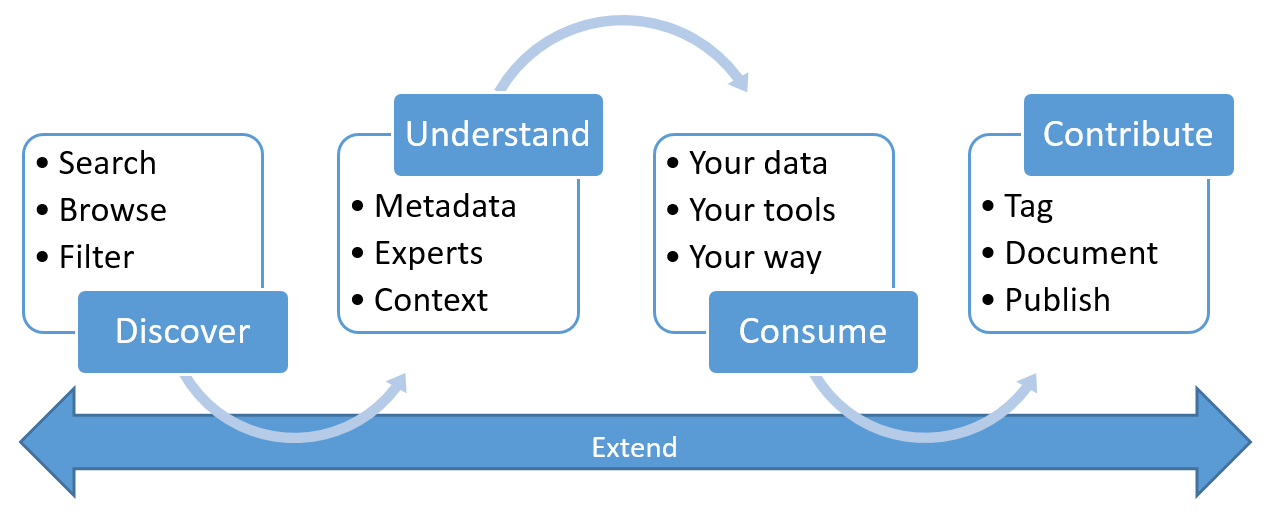
  • Search and browse the data catalog using natural language queries or filters.
  • Access data insights and metrics, such as data quality, freshness, popularity, and compliance status.
  • Define and enforce data policies and standards across the organization.
  • Integrate with Azure Purview Data Catalog, Azure Synapse Analytics, Azure Data Factory, and other Azure services to enable end-to-end data governance and analytics.

Data classification is a vital component of data governance and management. It helps organizations protect, optimize, and leverage their data assets. Tools like Microsoft Purview is a comprehensive data governance service that simplifies and automates data classification and other data governance tasks. With Microsoft Purview, organizations can gain more visibility, control, and value from their data.

How Redgate’s Test Data Manager Can Enhance Automated Testing

A brief overview of the benefits and challenges of automated testing and how Redgate’s Test Data Manager can help.


Automated testing uses software tools to execute predefined tests on a software application, system, or platform. Automated testing can help developers and testers verify their products’ functionality, performance, security, and usability and identify and fix bugs faster and more efficiently. Automated testing can reduce manual testing costs and time, improve software quality and reliability, and enable continuous integration and delivery.

However, automated testing is not a silver bullet that can solve all software development problems. Automated testing also has some limitations and challenges, such as:

  • It requires a significant upfront investment in developing, maintaining, and updating the test scripts and tools.
  • It cannot replace human judgment and creativity in finding and exploring complex or unexpected scenarios.
  • It may not cover all the possible test and edge cases, especially for dynamic and interactive applications.
  • It may generate false positives or negatives, depending on the quality and accuracy of the test scripts and tools.

One of the critical challenges of automated testing is to ensure that the test data used for the test scripts are realistic, relevant, and reliable. Test data are the inputs and outputs of the test scripts, and they can significantly impact the outcome and validity of the test results. Test data can be sourced from various sources, such as production, synthetic, or test data generators. However, each source has advantages and disadvantages, and none can guarantee the optimal quality and quantity of test data for every test scenario.

That’s why Redgate Test Data Manager from Redgate is a valuable tool for automated testing. Test Data Manager is a software solution that helps developers and testers create, manage, and provision test data for automated testing. Test Data Manager can help to:

  • Create realistic and relevant test data based on the application’s data model and business rules.
  • Manage and update test data across different environments and platforms.
  • Provision test data on demand, in the proper format and size, for the test scripts.
  • Protect sensitive and confidential data by masking or anonymizing them.
  • Optimize test data usage and storage by deleting or archiving obsolete or redundant data.

By using TDM, developers and testers can enhance the quality and efficiency of automated testing, as well as the security and compliance of test data. TDM can help reduce the risk of test failures, errors, and delays and increase confidence and trust in the test results. TDM can also help save time and money by reducing the dependency on manual processes and interventions and maximizing the reuse and value of test data.

Automated testing is an essential and beneficial practice for software development, but it has some challenges and limitations. Test data management is one of the critical factors that can influence the success and effectiveness of automated testing. Using a tool like TDM from Redgate, developers and testers can create, manage, and provision test data for automated testing more efficiently, reliably, and securely.

Is Cataloging Your Data Important?

Data continues to be the lifeline for companies across the globe. As maturity levels continue to grow across companies, one aspect that sometimes needs to be checked is cataloging your data. You can think of this practice as metadata management for data sets.

Insights into one’s data is a substantial competitive edge for any company, whether stored in a data warehouse, data lake, or some other repository that allows teams such as Business Intelligence, Reporting and Analytics, and business consumers to make decisions based on said data.

We could go into a whole different segment on data quality. However, one of many reasons for cataloging data would be to help data professionals from exerting time expenditure on gathering and cleaning the data.

Several tools out there can be of use; I will only go into some of them, but one that I have consistently fallen back on is the Azure Data Catalog functionality Microsoft has produced. Some of the core benefits are:

  1. Integration into existing tools and processes with open rest API’s.
  2. Spending less time looking for the data, and more time getting value from it.
  3. Comprehensive security and compliance are built in.

Introduction to Azure Data Catalog | Microsoft Learn

As you look for continued ways to help cut wasteful spending, ensure consistent data quality, secure, and make your data compliant with ongoing regulations, it would behoove you to look at the Azure Data Catalog.

Your data availability depends on how far you can go as a data-driven company.

Continuing on the Journey of Azure Synapse Analytics

Azure Synapse Analytics has always enamored me. With its analytics service capabilities bridging the gap between enterprise data warehousing and Big Data analytics, it provides the end users much freedom to query their data.

One of the newer features that came out recently was the Cosmos DB synapse link to Azure Data Explorer. Having a big data analytics platform with near-real response times has constantly been engaging and diving more into the world of the Cosmos DB functionality. Within engineering and strategy, combining components such as geospatial and unstructured data; can be a game changer for most.

For those not keen on diving into the Azure Analytics space, Microsoft offers a rolling monthly update with all the latest and greatest features the team and platform are pushing out. Some of the go-to resources I have to be helpful are:

Azure Synapse Analytics Blog – Microsoft Community Hub

Azure Synapse Monthly (Updates) Blog

Getting started with Azure Synapse Analytics – Guy in a Cube

If you are into the data space, check out the evolution of Azure Synapse and what offerings and impact it could have for your industries.

The PASS Data Community Summit

I’m looking forward to attending the PASS Data Community Summit this year in Seattle, Washington. I’m also glad to have the opportunity to speak with fellow Microsoft MVPs Josh Higginbotham and Dr. Victoria Holt on a panel around Transformation and Innovation: Why the database must be included hosted by Steve Jones

In looking at this year’s lineup of speakers and sessions, several ones stand out to me. From a Sr. Level perspective, I’d like to tap into a few sessions:

Automate your Data Quality Validation by Aaron Nelson

Extend Azure DevOps to Take your CI/CD to the Extremes by David Bojsen

Overall, I do like how the tracks are broken out within the session catalog to give a sense of what they look like:

  • Analytics
  • Architecture
  • Database Management
  • Development
  • DE&I
  • Professional Development

It’s great to see some of my good friends, and new speakers I haven’t heard from yet regarding pre-cons. You should check them out and can do so here. Below are a few of my favorites.

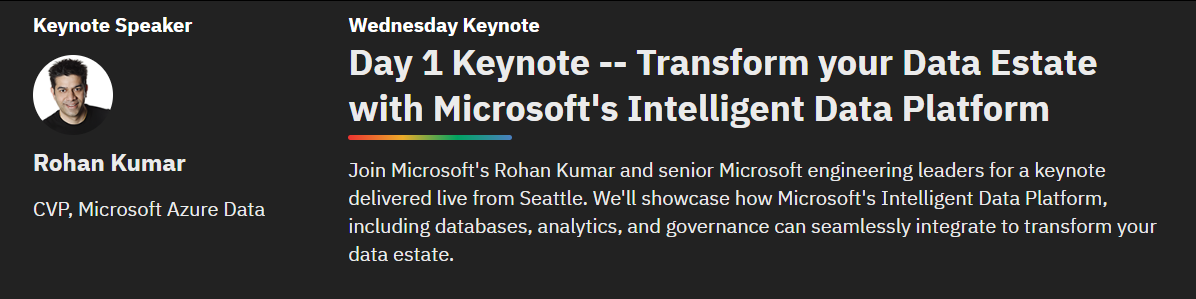
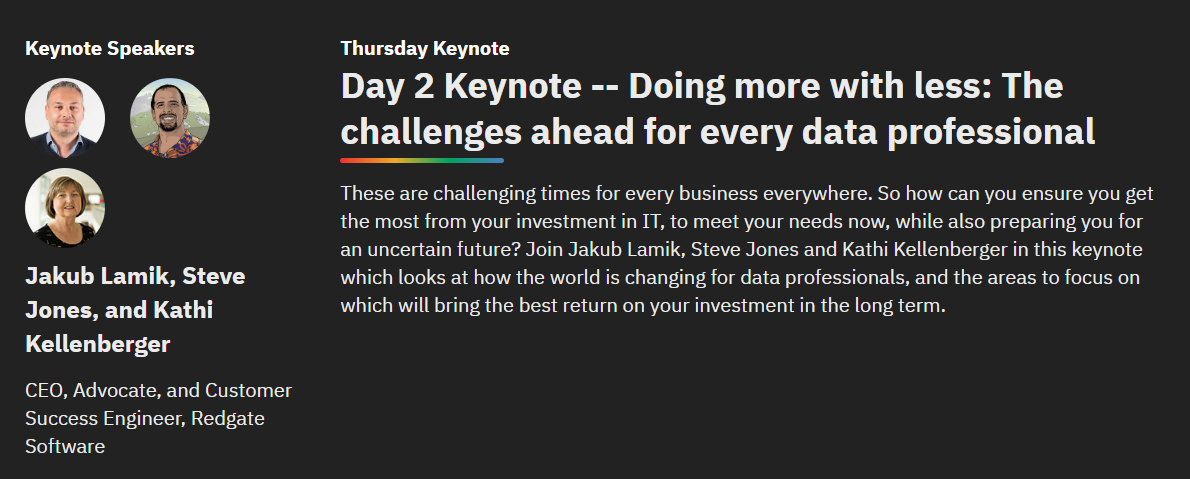
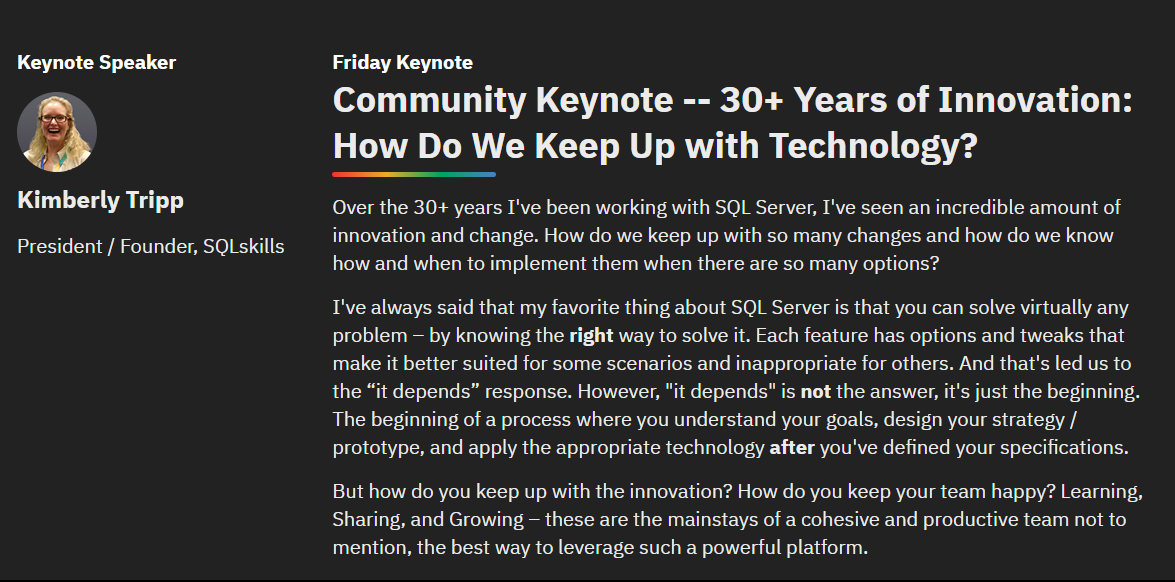
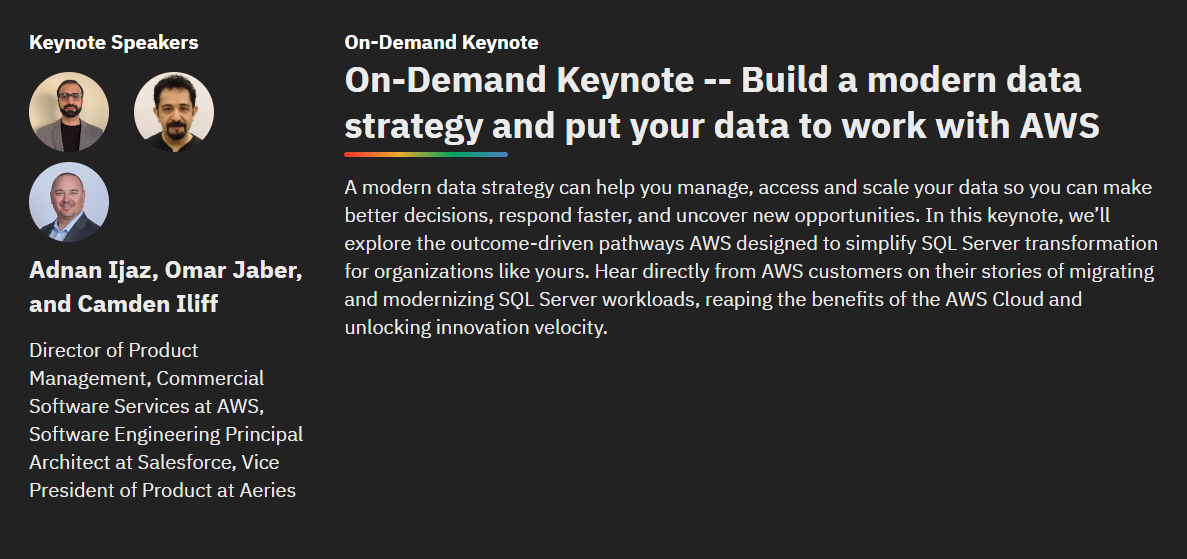
The keynotes as well look to be shaping up to be something special:

It will be much fun and excellent content this year. As always, happy to chat if you see me; this event is one I’ve attended, spoken at, and volunteered for since 2011. I look forward to seeing everyone there.